

Popis 5 brings a completely new way of managing inventory – simple, transparent, and accessible from anywhere. The new central cloud application ☁️ (portal.popis.si) connects all data in real-time and gives you complete control over the inventory process – no delays, no complications.
🧭 Complete Inventory Insight – Live
The portal gives you a comprehensive overview of the inventory status:
- See what has already been counted and what is still pending
- Discover incorrect locations, missing or new codes, and write-offs
- Filter by counted assets, uncounted, new, written-off, comments, incorrect locations, movements, etc.
- Monitor enumerator work and progress by location
- Always have a clear picture – without surprises or delays

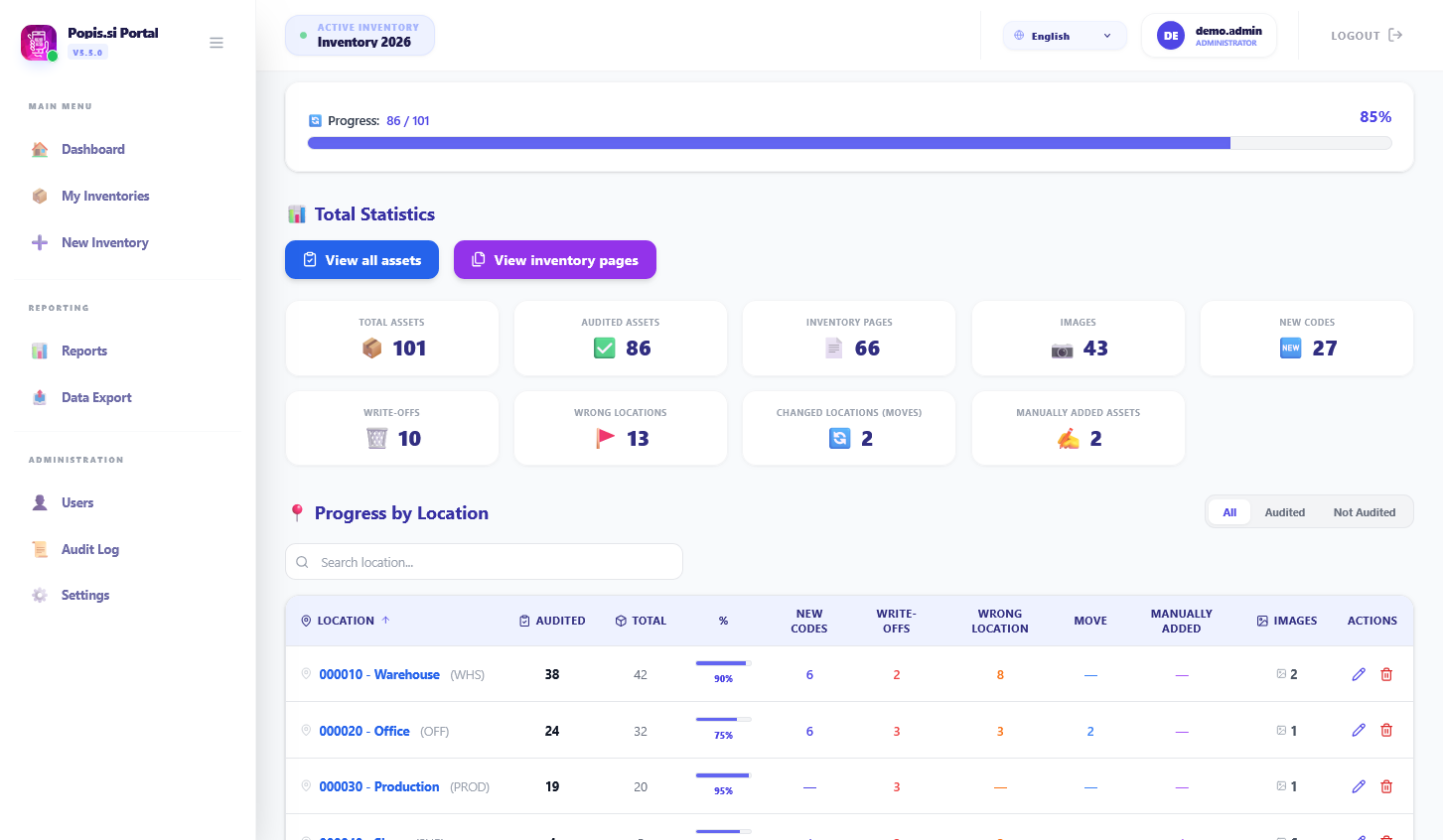
However, the portal shows more than just numbers. It helps you understand the inventory progress and take quick action:
- Too slow? See where the bottlenecks are.
- Something missing? Find the error immediately.
- Who works the most? Who needs help?
📊 Analytics and Reports at a Click
Quickly create:
- Progress reports
- Detailed analyses by location, enumerator, or terminal
- Lists of all inventory sheets and filtering by them
- Summaries for accounting
- PDF, Excel, JSON, and CSV exports
Inventory has never been so transparent and easy to report.

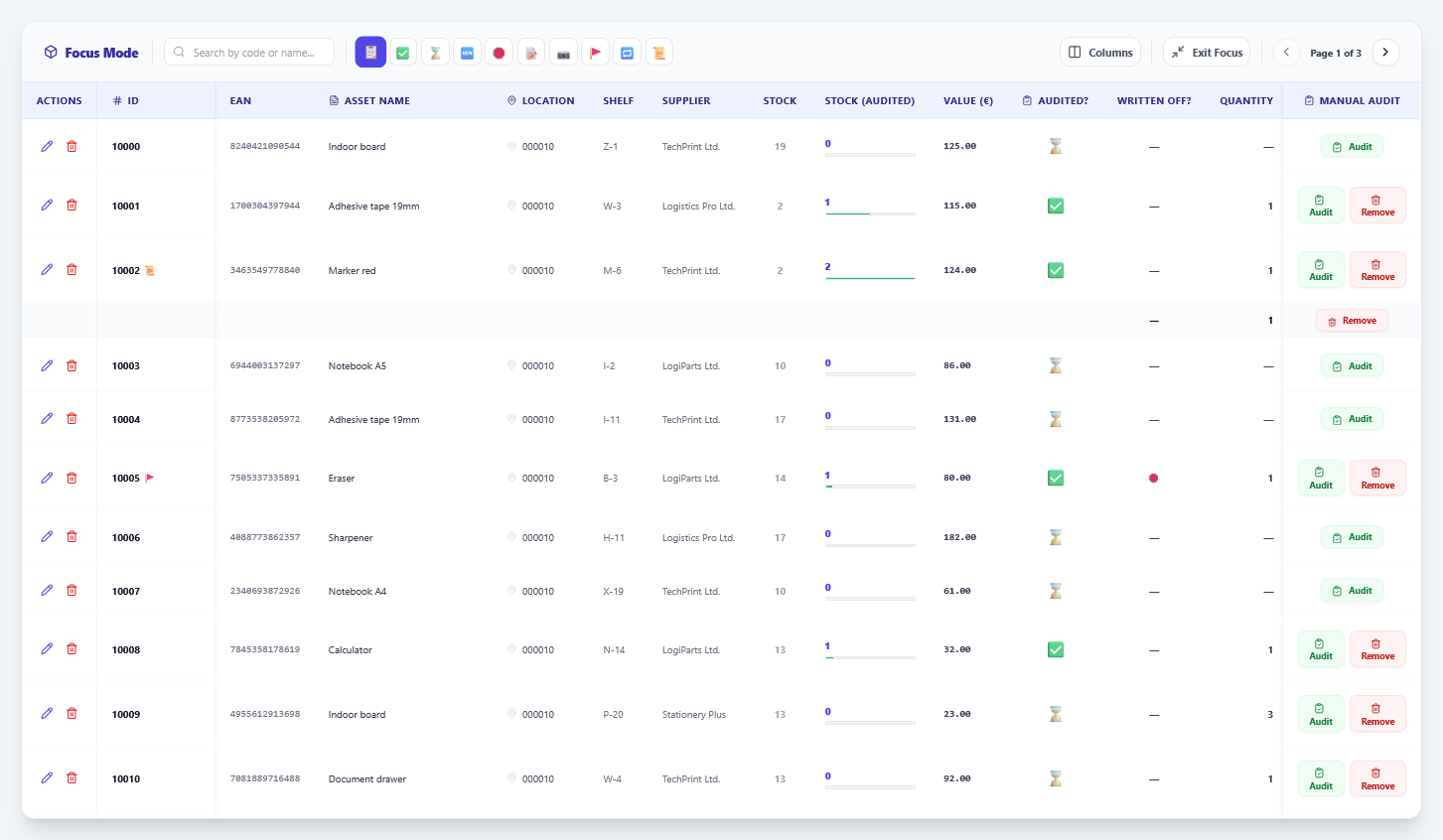
☁️ A Web Solution That Adapts to Your Workflow
Popis.si works in the cloud:
- Data is always fully synchronized between the portal and terminals
- No installation or file issues
- Available anywhere – in the office, warehouse, or on the go
- Easy import and export of data from your business system
- Access to past inventories and reports
🖧 And if you work in a closed environment?
You can still use local network synchronization. The solution adapts to your way of working.
✅ With the Popis.si Portal You Get:
- Complete control over inventory in real-time
- Easy editing of assets, locations, and counts
- Definition of user roles and insight into the audit trail
- Reports and analytics in various formats, ready for export
- Greater transparency, faster counting, and fewer errors
- Now also the option to count directly via the browser
📝 Manual Editing of Assets and Locations
The portal allows for direct adding, editing, and deactivation of assets and locations, as well as movements, without the need to re-import files. This enables you to quickly adjust the inventory on the field, add a missing location, or fix an asset error – all directly via the browser.
📧 Want to try the portal live?
Enter your email on our landing page or write to us – we’ll be happy to present it to you.

